Attendance & Scheduling
Course schedules, lessons, teachers and rooms, with daily attendance, make-up classes and easy rescheduling.
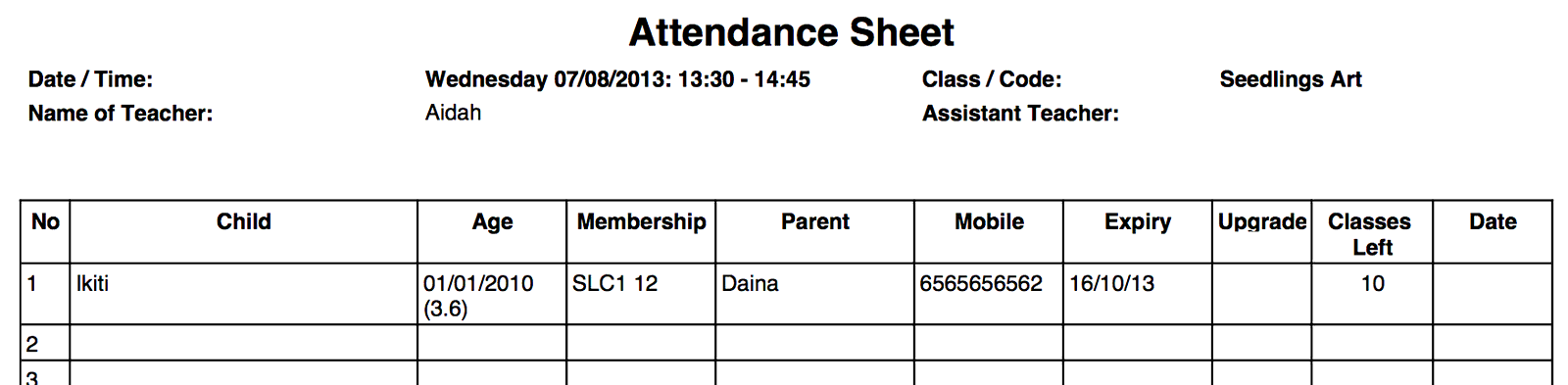
Attendance module allows users to view summary attendance / calendar to know who is attending which classes and when and who is teaching those classes. User can also print attendance sheet, update attendance after class, see summary all pre-booked classes, move bookings, book make up classes etc. Part of this module is also class management – course schedule, generating of lessons, teachers schedule, rooms schedule, etc.
Daily Attendance
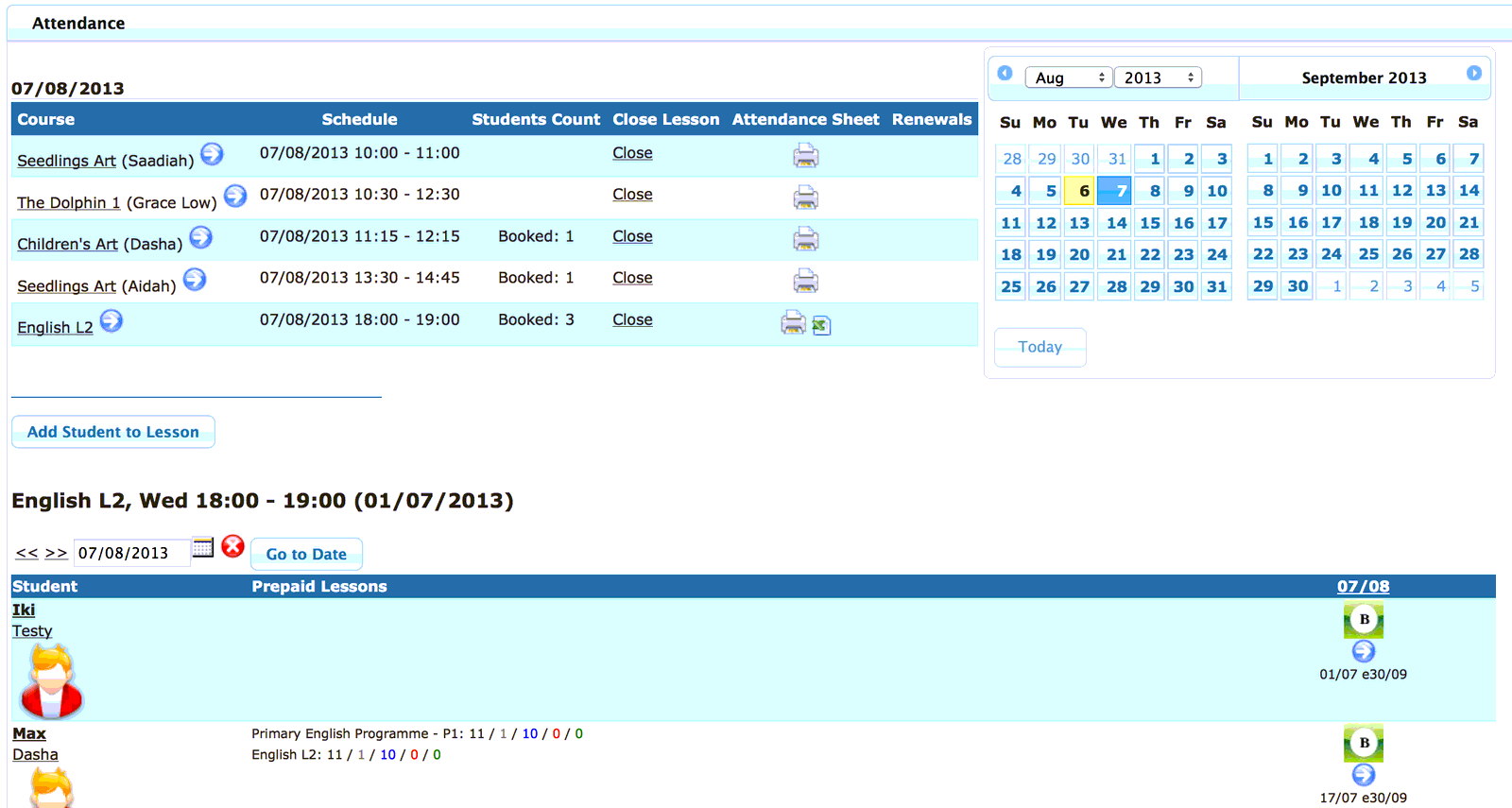
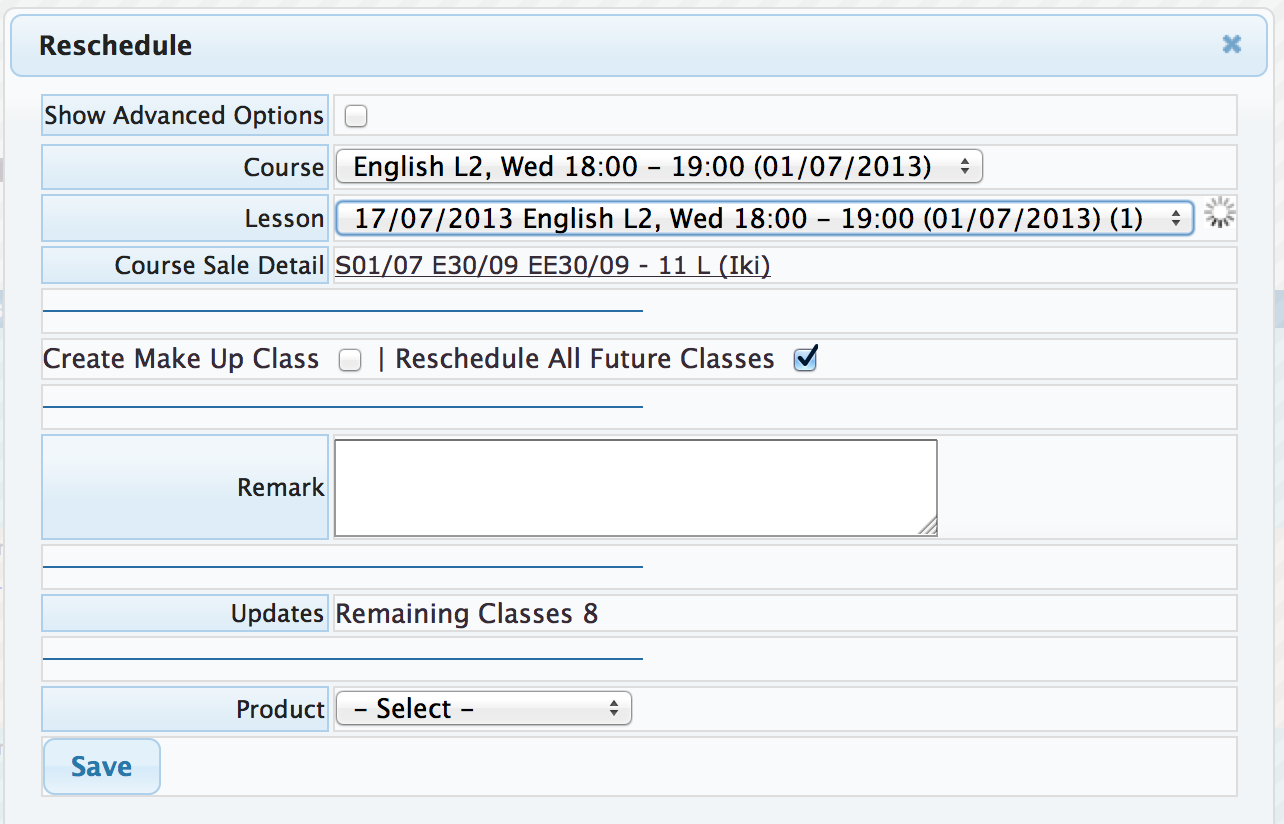
Monitor daily attendance of students, future bookings, upgrades, make-up classes, expiry of packages. Easily reschedule students to different days or different classes.
Course Schedule
Create and organize schedule of classes – generate lessons for subjects/courses with timing, teachers, assistant teachers and rooms assigned. Timing can be once a week (e.g. for Monday 10am class) or multiple times a week (e.g. for class to be attended every Monday and Wednesday). Set maximum capacity for classes to avoid overbooking.
Teachers Management
Monitor teachers schedule and class load. Generate weekly schedule. Generate reports such as attendance per teacher, sales by teacher, etc.
Dashboards and Reports
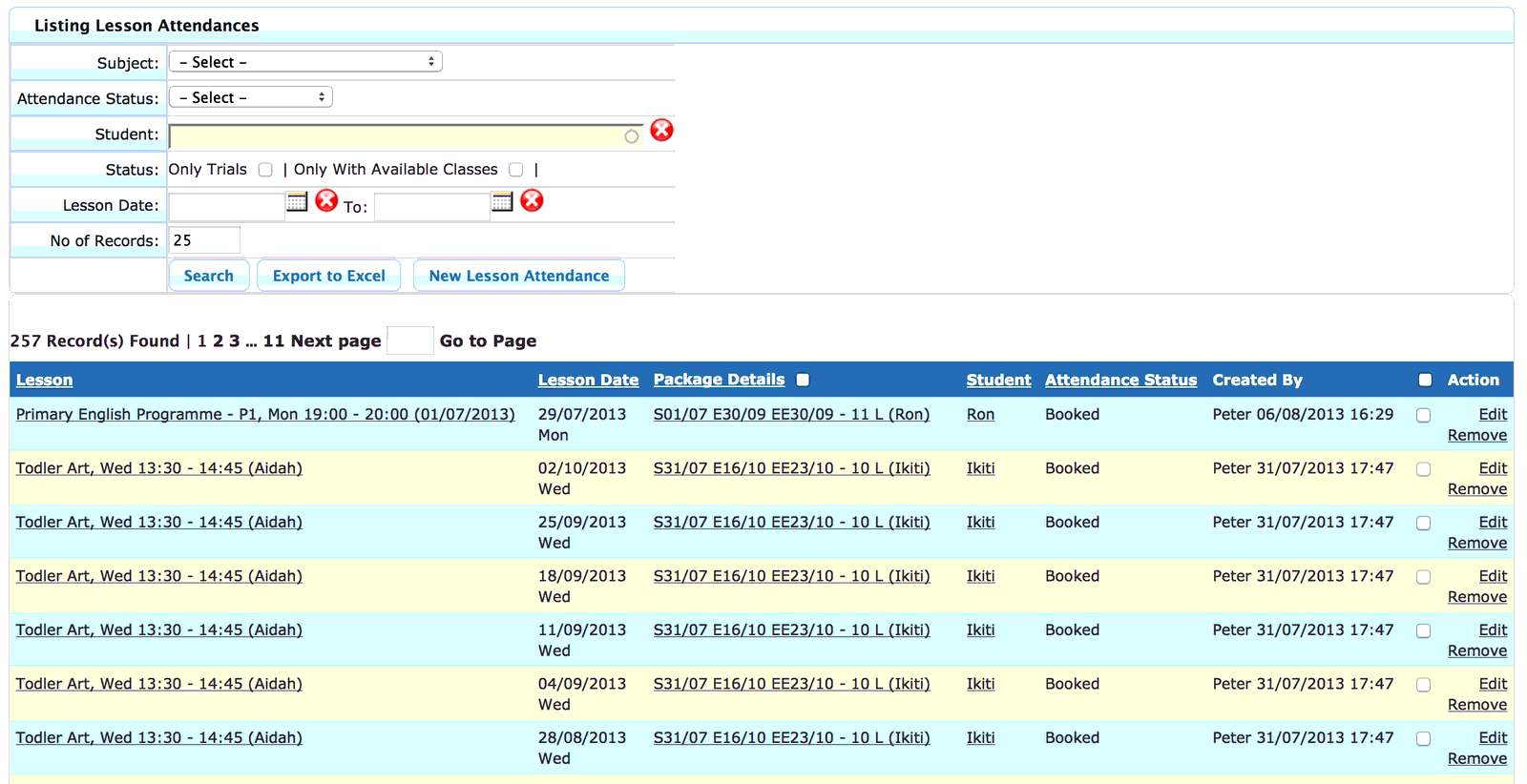
System provides daily/weekly class summary to see which classes are fully booked, which still have available places. Attendance can be viewed per student (summary of all classes student is signed up for), per class (summary of all bookings/attendances on different days), daily (all classes and their bookings/attendances per day) and many more.
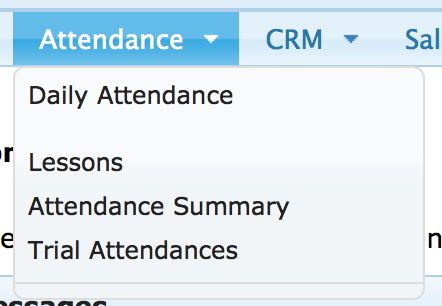
Attendance Module Menu:
Daily Attendance Management Screen
Sample of attendance sheet printout from the above screen
User can quickly re-schedule student
User can update student’s attendance by clicking the icon
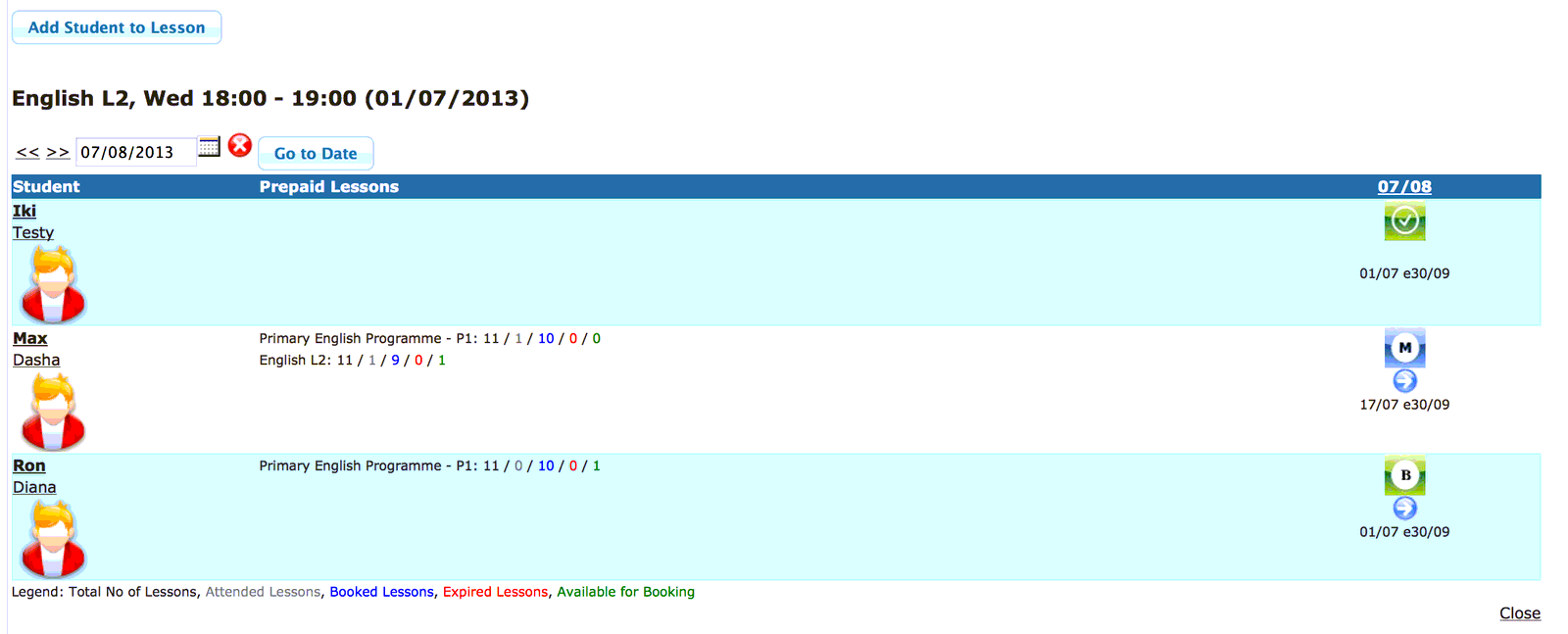
Teacher can close lesson after attendance update is complete

Lesson status will get updated accordingly

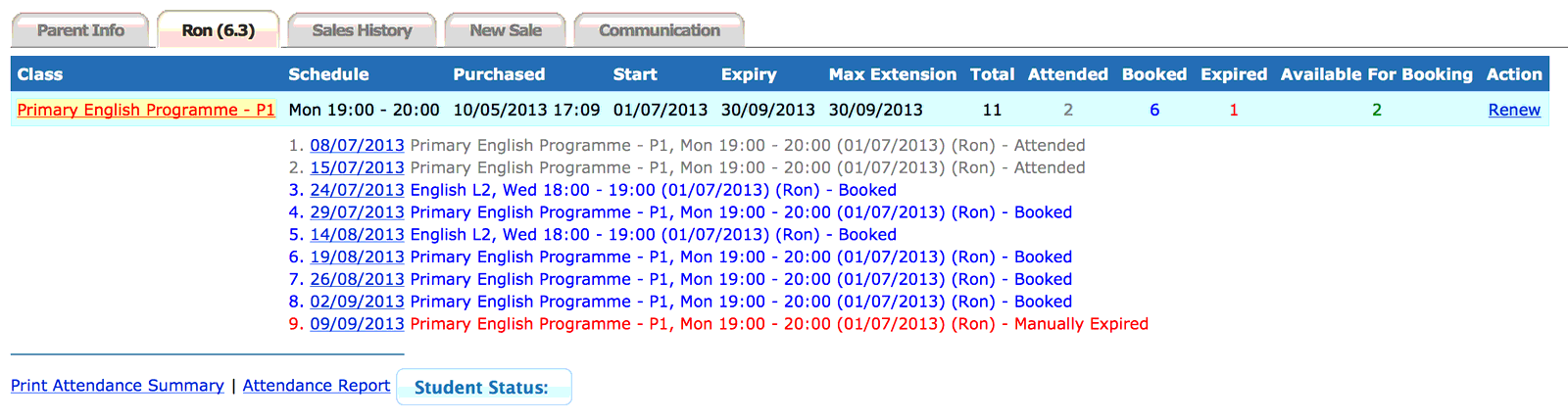
User can check each student’s attendance under his/her profile
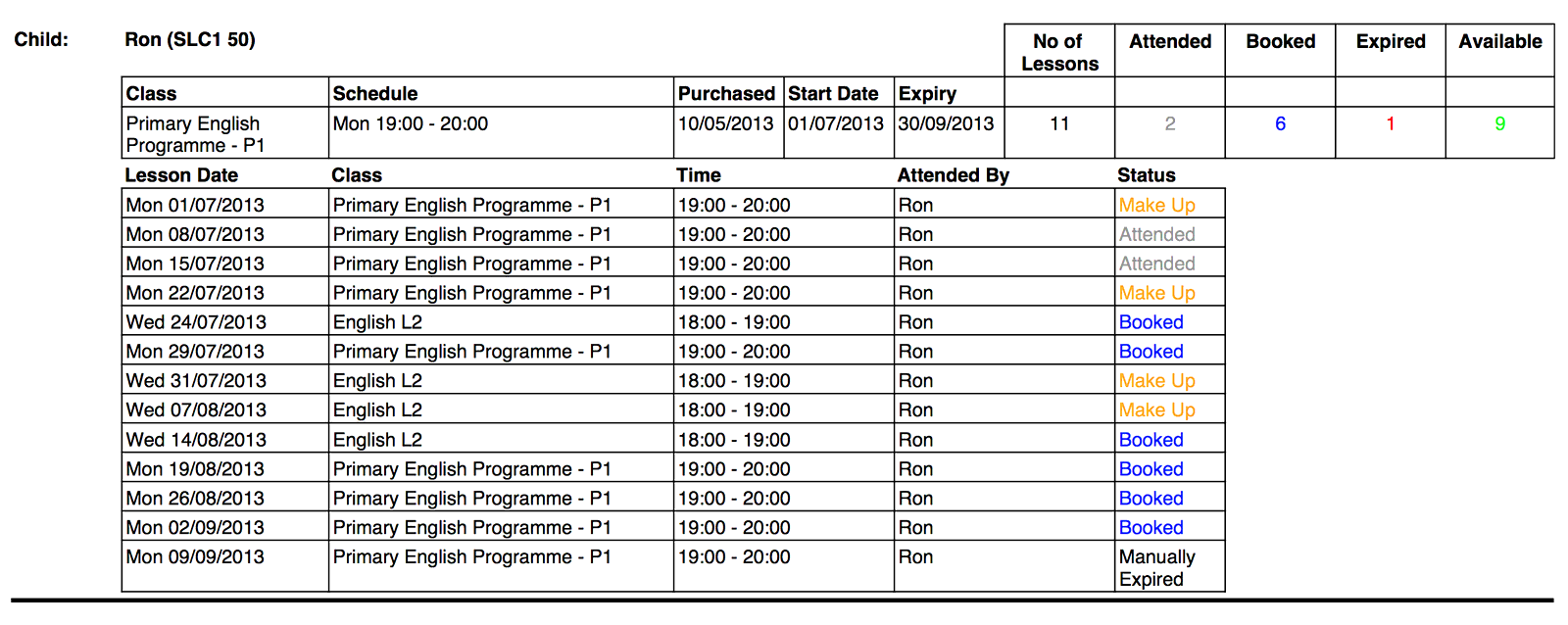
A report can be printed out
User can re-schedule student from this screen

Lessons summary screen
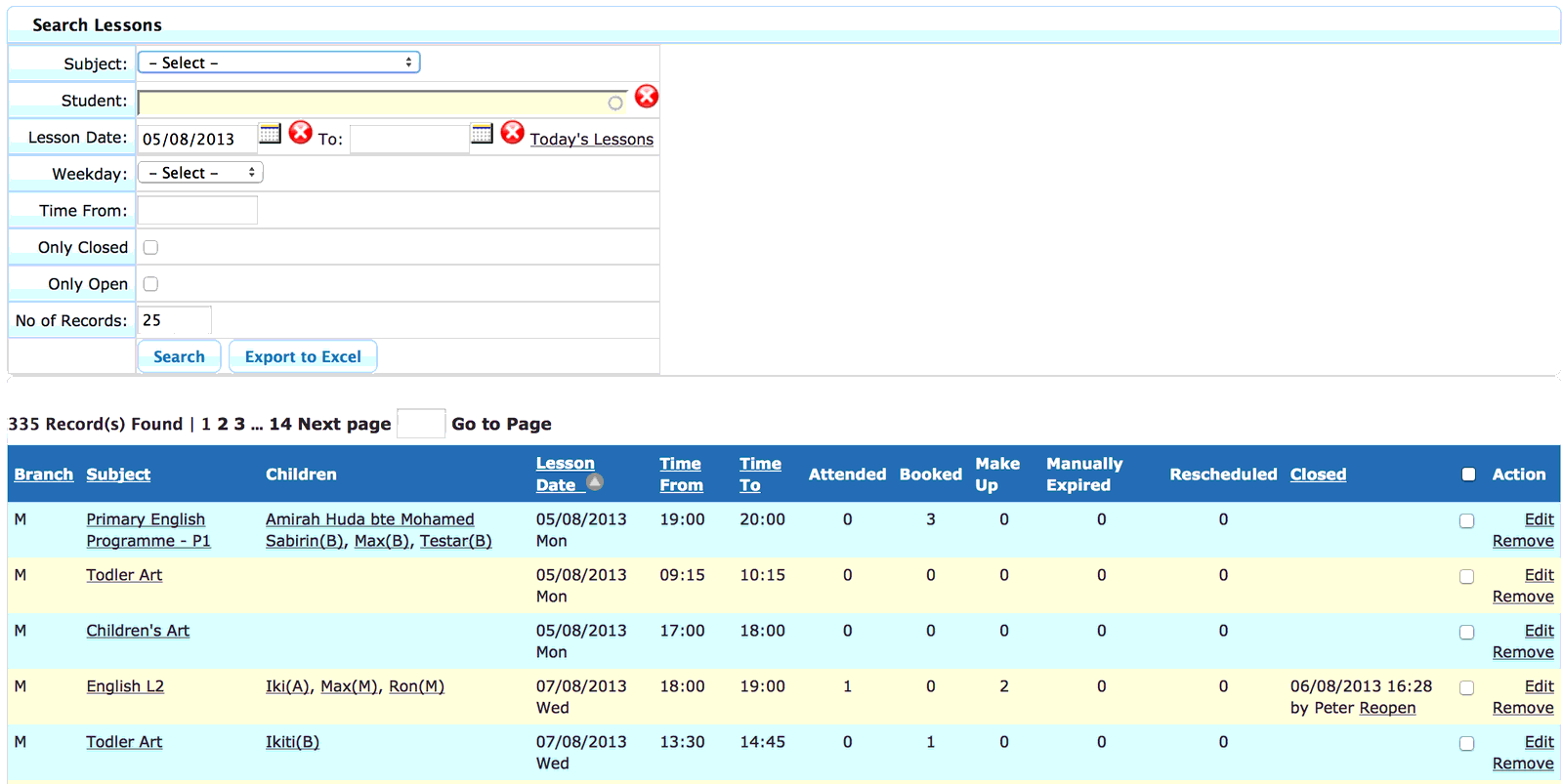
Lessons attendance summary screen
Need help with this?
Email our support team at support@nextlogic.com.sg with a screenshot of the screen in question.
All features & guides